
Product Feed Optimization: A Practical Guide for Ecommerce

Start here
Product feed optimization means making your catalog accurate, descriptive and suitable for each destination, then measuring the results. Start with errors that prevent items from appearing, improve the details that help people choose, and keep changing values synchronized.
- Fix accuracy first: Check identifiers, variants, price and availability.
- Improve clarity: Describe the actual item, with useful specifications and matching imagery.
- Control delivery: Document where each field comes from and how it reaches each channel.
- Test deliberately: Change a defined group, record the baseline and examine commercial results.
An exported catalog can look complete while leaving buyers with unanswered questions. Which size is this? Does the photograph show the selected color? Is that price still available?
This guide explains how to optimize product feeds, improve the information you send to shopping channels, and test whether your changes help.
What does product feed optimization involve?
A product data feed is a structured collection of records describing the items you sell. Product feed management covers preparing and delivering those records; optimization asks whether the product information is correct, useful and working as intended.
For Google, missing or inaccurate attributes can cause disapprovals, limited eligibility or incorrect displays. Its specification also explains that submitted information helps match items to relevant queries. These are practical reasons to address feed quality before experimenting with persuasive wording. Google’s product data specification
Treat the work as three connected checks: Can the item appear? Can a buyer understand it? Does the change improve the outcome? Passing the first check does not answer the other two.
1.Map your product data from source to destination
Find the source of each value before you edit product records. Otherwise, a correction made in one dashboard may disappear with the next import.
Choose a small sample from your product catalog: a bestseller, an item with variants, a discounted item and an out-of-stock item. Trace each through your store, any transformation rules, the exported record and the receiving channel.
Document the feed structure with a simple ownership table:
| Field group | Check | Record |
|---|---|---|
| Identity | Does the record represent the correct variant? | Source ID and mapping |
| Price and stock | Does the value match the buying journey? | Update trigger and owner |
| Descriptive text | Are verified details lost or overwritten? | Source fields and rules |
| Images | Does the image match the selected item? | Asset source and variant mapping |
When you create a product feed, keep this map beside the configuration. It makes future troubleshooting more concrete than repeatedly asking someone to “check the integration.”
2.Improve product listings by fixing inconsistencies
Work through channel errors before polishing already usable copy. In Google Merchant Center, inspect the affected items and the applicable requirements, rather than assuming every category needs exactly the same fields.
Check that submitted identifiers belong to the item, required product attributes are present, and the landing page represents the same offer. Compare price and availability with the selected variant and checkout. Requirements vary by attribute, category and destination. Product requirements
Use this troubleshooting checklist:
- Locate one affected record and reproduce the mismatch.
- Identify the original source and any rule changing it.
- Correct the source or mapping, then send an update.
- Inspect the received value and the remaining issue status.
- Check similar items before expanding the fix.
Do not invent missing facts. A plausible identifier, material or compatibility claim is not a substitute for verified information from the manufacturer or your own records.
Keep a short issue log. Record what changed, who changed it and where to verify the result. That is especially useful when catalog and advertising teams share responsibility.
3.Make product titles and descriptions useful
Lead with details that identify the item
A useful product title helps a shopper distinguish one item from another in a shopping ad or free listing. Google allows up to 150 characters and advises putting important details first. Variant differences should be explicit, and promotional wording does not belong in this field. Google’s title guidance
Here is a fictional example, not a measured performance result:
| Before | After |
|---|---|
| Trail Bottle | Northline Insulated Stainless Steel Bottle – 750 ml – Forest Green |
The revised version supplies product details about brand, material, capacity and color. Use only details that are true; do not copy this formula into categories where other information matters more.
Answer the next buying question
Use the product description to explain details that need more room: dimensions, care instructions, included components or supported uses. Replace vague claims such as “premium quality” with product specifications the buyer can assess.
Keep these product attributes in their appropriate fields as well. Writing “green” in a sentence should not be your whole plan for managing color information.
Before applying a template widely, read several outputs aloud. Watch for repeated words, missing values and descriptions that sound fluent while saying very little.
4.Check product images and buying-page consistency
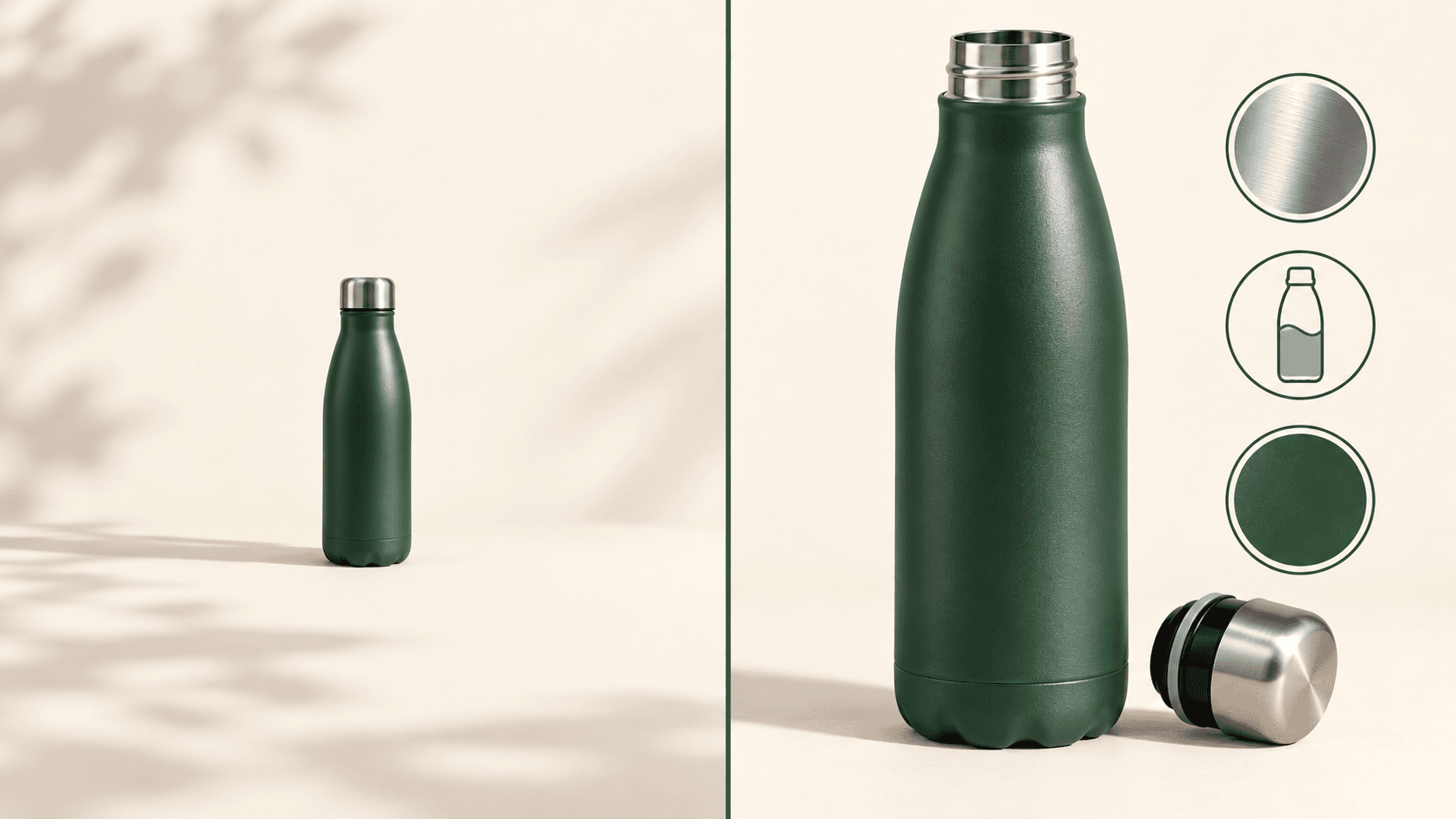
Open the image and landing-page links from the exported record. Inspect them on mobile as well as desktop: the right asset in your media library is not enough if the wrong one reaches the feed.
Check the online shopping experience: confirm the color, pack size and included accessories. A photograph showing several items can create uncertainty when the offer contains only one. Make the intended purchase clear in the surrounding details.
Plan ahead for Google’s announced image change: enforcement of the updated 500 × 500 minimum starts January 31, 2027, with warnings issued from April 14, 2026. Do not confuse an upcoming-enforcement warning with the rule already being enforced. Google’s 2026 specification update
For structured product data on your website, keep the offer consistent with the feed. Google explains that using both page markup and a Merchant Center feed expands eligibility for shopping experiences and helps it verify the information. Eligibility is not a guarantee of a particular appearance in search results. Google’s structured-data guidance
5.Adapt your product feed to each shopping channel
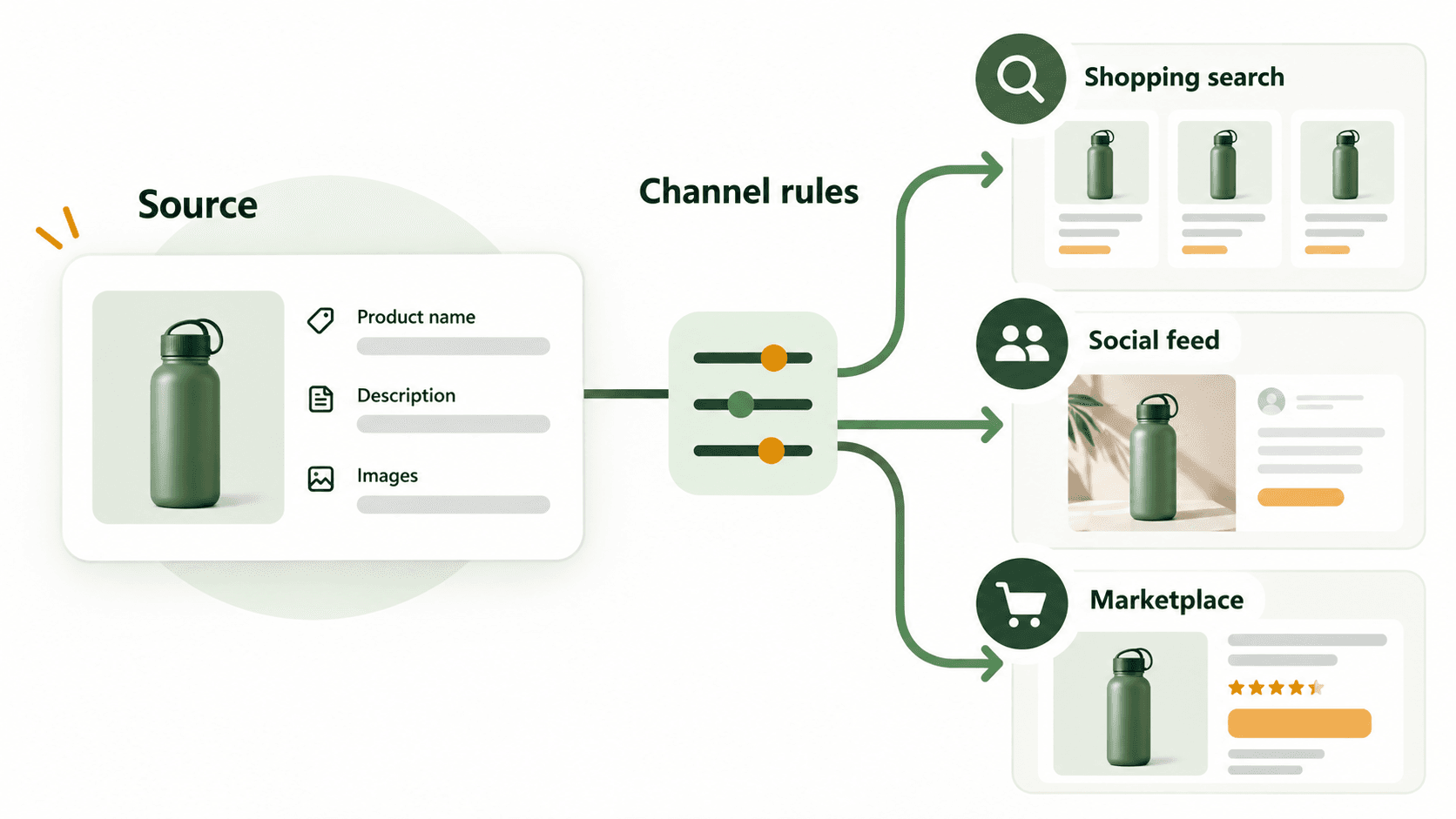
Keep one reliable source, with deliberate rules for each destination. Avoid copying a Google Shopping feed into another channel without checking that channel’s current requirements.
Maintain a mapping sheet for field names, accepted values, product categories and destination-specific transformations. Test records with missing optional values: a rule should not leave stray punctuation or insert an unrelated fallback.
For campaign grouping, Google supports five custom labels, numbered 0–4. They can support reporting and bidding groups and are not shown to customers. Custom-label documentation
For example, an internal label could identify clearance stock or a seasonal range. Define what each value means and who maintains it. A label called “high margin” is useful only if the underlying classification is accurate and kept current.
When reviewing product type values, ask whether your store’s category paths are meaningful and consistently applied. Keep your own classification distinct from any destination taxonomy.
Before changing feed rules, export the current setup and test a small sample. Keep a reversal plan for changes that remove useful details or unexpectedly affect item coverage.
6.Combine feed management and AI with review controls
Update product information as often as your business changes require. A store running frequent price adjustments needs a different process from a stable catalog with occasional additions.
Google’s automatic updates can address some discrepancies using landing-page information, but Google explicitly says they are not a replacement for regular, accurate updates. Automatic-update guidance
For managing product feeds, assess a feed management tool or product feed management platform against concrete tasks: previewing transformations, identifying failed imports, reviewing changes and restoring previous values. Ask a vendor to demonstrate those tasks with representative records.
Ask how a rule handles incomplete data about your products. For example, if a supplier omits capacity, does the output leave it out, flag the record for review or guess? Prefer a visible exception to a confident-looking mistake.
Review AI product text against verified facts
AI can assist with drafting and organizing text, but treat its output as a proposal. Give it approved source fields, ask it to leave unknowns unanswered, and review samples for invented specifications.
Google requires AI-generated titles and descriptions to use the applicable structured_title and structured_description attributes, with digital_source_type set to trained_algorithmic_media. This requirement concerns submitted product text, not the prose of this article. Google’s AI-generated content requirements
For product discovery experiments, apply the same discipline: distinguish verified integration requirements from predictions about future discovery. Do not accept promises that adding a phrase will make AI shopping assistants recommend your items.

7.Measure product performance after feed optimization
Separate fixing an error from proving a commercial improvement. Restoring eligibility is a useful outcome; a rise in revenue requires a different assessment.
Before you optimize Google Shopping campaigns or another paid channel, record the affected items, their previous values and the planned change. Choose a primary outcome that fits the task, then use performance data to track supporting metrics.
| Question | Evidence to examine |
|---|---|
| Did the correction reach the channel? | Received values and issue status |
| Did product visibility change? | Eligible items and impressions |
| Did shoppers respond differently? | Clicks and click-through rate |
| Did the business benefit? | Conversion rate, revenue and margin |
Where traffic and tooling allow, use an appropriately designed comparison group. Google’s FeedX project supports controlled experiments on shopping feeds and explains why simple before-and-after comparisons cannot isolate the effect of a change. FeedX methodology
Do not change names, prices, images and budgets in Google Ads campaigns together and then attribute the result to wording alone. Record promotions and stock changes, allow for conversion delay, and accept an inconclusive result when the data cannot support a decision.
Diagnose the next bottleneck
If Google Shopping ads receive clicks but few purchases, review the buying page, delivery costs and selected variant before rewriting every record. If eligible items receive little traffic, investigate demand and campaign settings alongside the feed. Treat these as diagnostic questions, not proof of a single cause.
A well-optimized product record is one part of shopping performance. Keep an improvement only when its benefits justify the maintenance it introduces.

Your checklist to optimize your product feed
Start with one category or a manageable group of items. For that group:
- Map the source fields and transformations.
- Correct eligibility issues and mismatched values.
- Improve unclear names and missing buying details.
- Verify images, variants and landing pages.
- Review channel mappings and update behavior.
- Save the original values and define a measurement plan.
- Check the received records before expanding the changes.
These feed optimization best practices form a repeatable process: accurate product information, understandable offers and evidence you can use to decide what to do next.
Explore a product feed review
Try an interactive example using sample data. feedrevive is in development; public access is not yet available. Google makes the final approval decision.
Try a sample review